Digital Wallet - Setup Payment Method
The OnShip Elite funding process does not operate as a traditional invoice-first billing model.
The platform uses a prepaid digital wallet structure.
The customer selects an initial funding amount, then sets a replenishment threshold and replenishment amount, so funds can be added automatically in the background via ACH or credit card as wallet balances run low.
Because of that structure, routine wallet uploads are not typically handled as manual invoice events before shipping activity occurs.
The platform will provide a receipt to all admin accounts when a refill occurs.
To Enable the refill receipt option email support@onshipgroup.com
The user will need admin access to complete this task! |
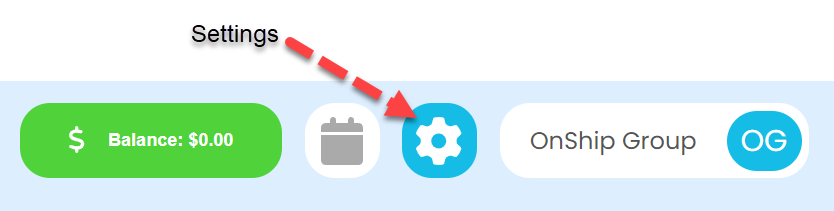
Click on the gear (Settings) icon at the top right corner of screen |
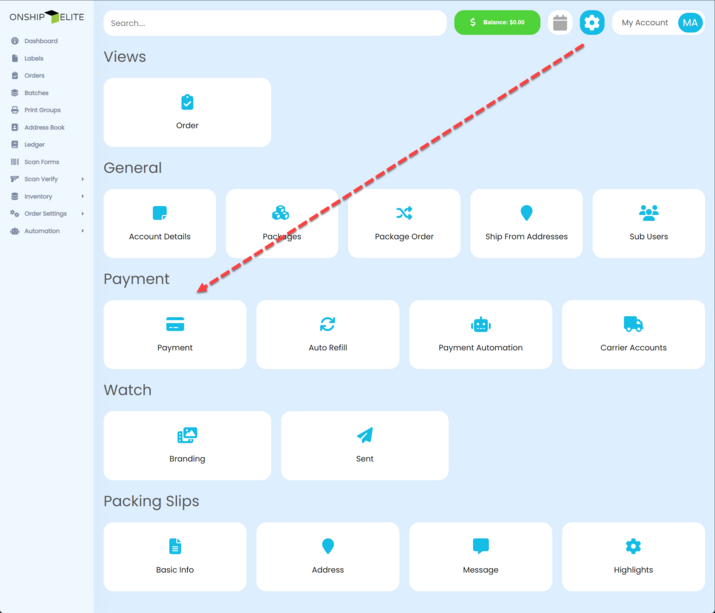
In the Settings Area under the Payment section, click the "Payment" button. |
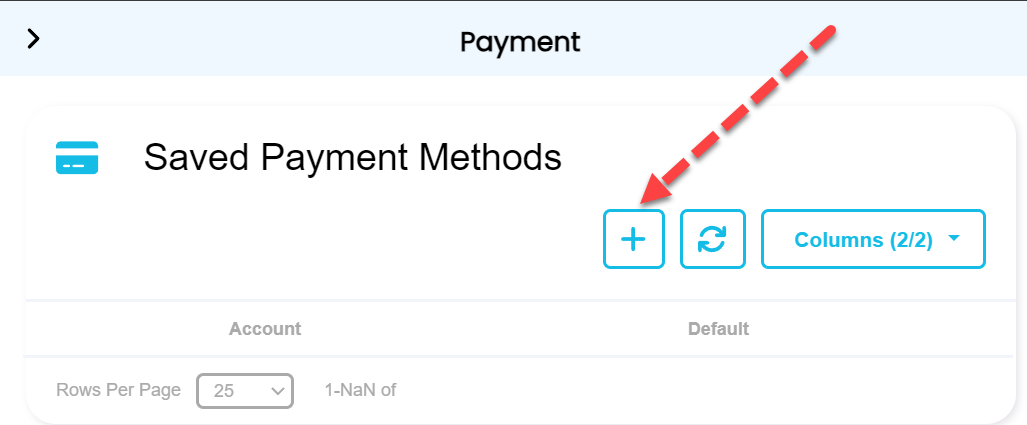
Click the + button to add a new method of payment |
Select Method type from drop-down of either bank account or credit card and enter the details then click the "Add" button. |
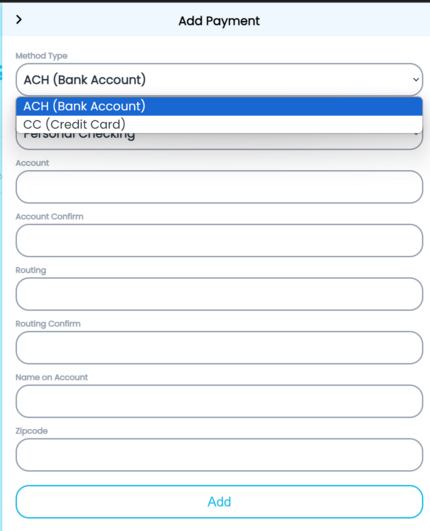
Note - credit card will not be available by default you must contact us at support@onshipgroup.com subject line "Credit Card Enable" to have it enabled. There is a 3% fee when funds are added to the digital wallet. |